
Open source · MIT · Windows
Your SQL Server schema, versioned in GitHub.
Obsync scripts every object in your databases, detects exactly what changed, and commits only the diff — on a schedule, through pull requests, with a full audit trail. It never writes to your databases.
- ✓ 100% read-only against SQL Server
- ✓ Zero telemetry
- ✓ Secrets stay in Windows Credential Manager
Works with
SQL Server 2016 → 2025·Azure SQL Managed Instance·GitHub & GitHub PRs·Windows 10 / 11 / Server
How it works
Three steps. No agents, no pipelines to babysit.
Connect, read-only
Point Obsync at a server with a least-privilege account — it even generates the exact GRANT script for you. Windows or SQL auth; credentials live in Windows Credential Manager, never in config files.
Script & diff everything
Tables, procedures, views, triggers, permissions, Agent jobs — one file per object, SSMS-style. Incremental runs skip unchanged objects, so even very large databases sync in a fraction of the first run's time.
Commit, PR, or export
Only changed files are committed — straight to a branch, or as a pull request your DBAs review and merge. Every run records who, what, when, and which commit.
The product
Not just sync. A window into how your schema changes.
+Change timeline
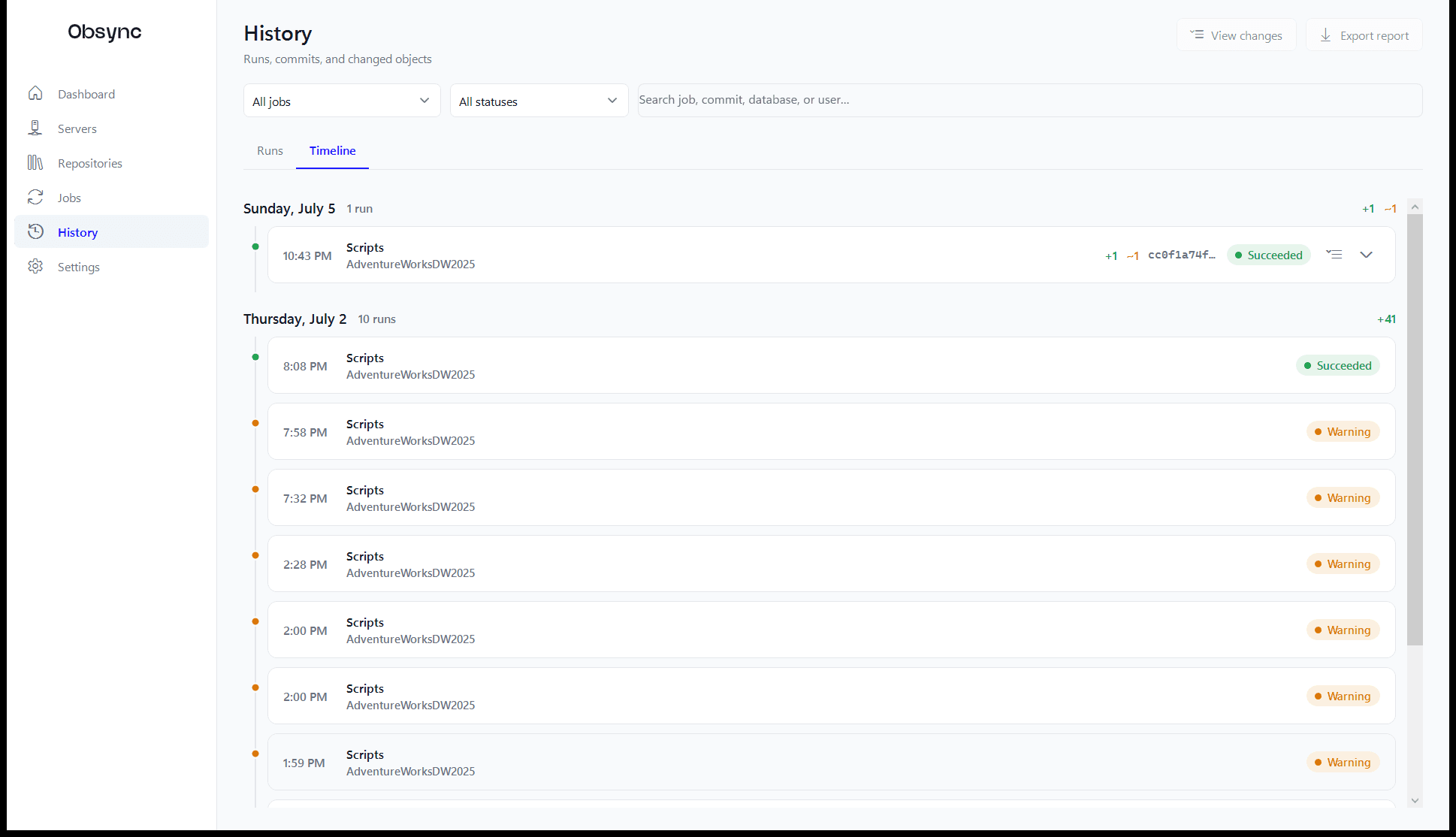
A timeline of every change
Runs grouped by day — what was added, modified, and deleted, by which job, triggered by whom. Expand any entry, click any object, and land in a full diff. Drift stops being a mystery.
- ✓ Day-by-day change totals
- ✓ Filter by job, status, database, or user
- ✓ One click from change to diff
History — Timeline
+Version history
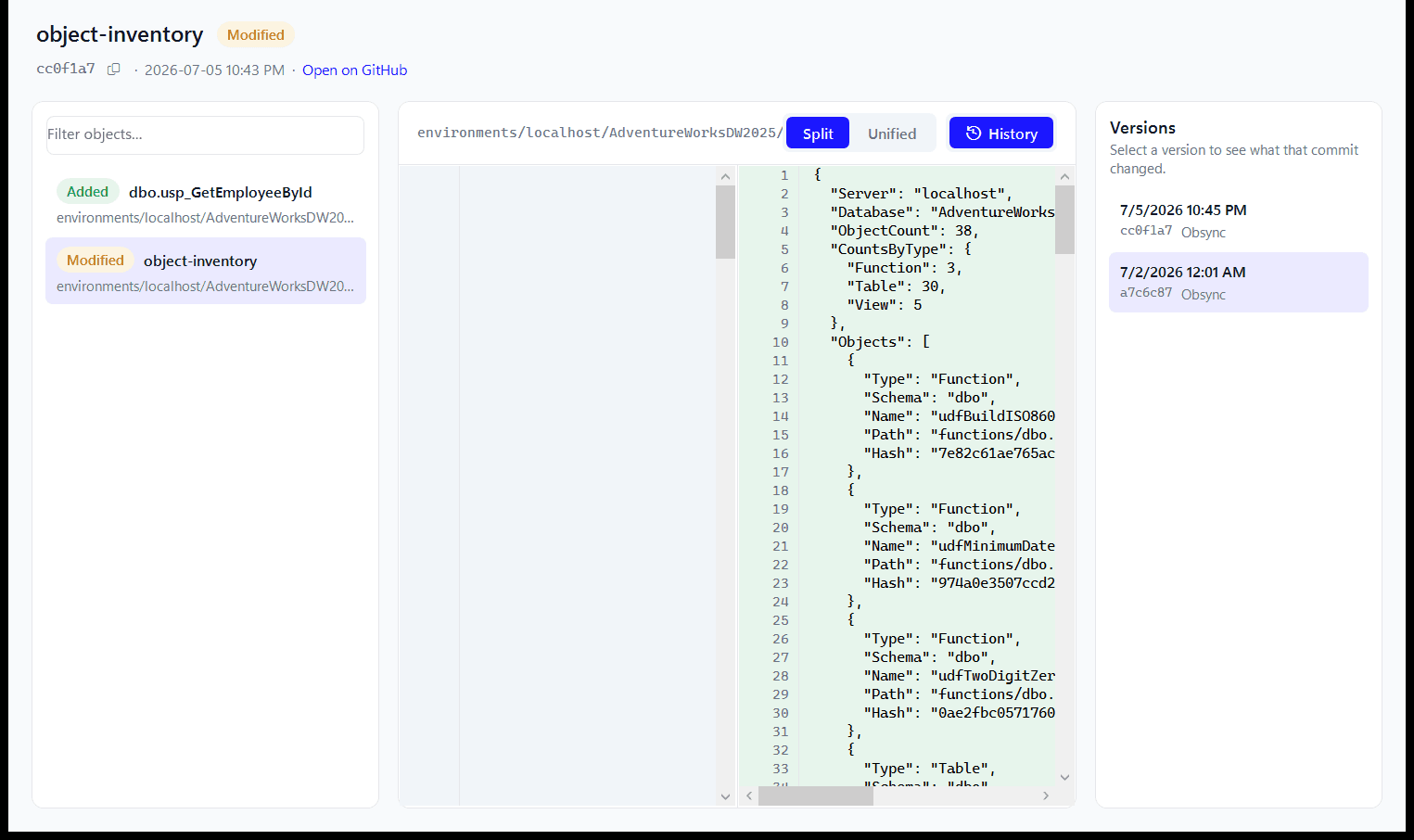
Every version of every object
The diff viewer carries each object's full committed history. Pick any version to see exactly what that commit changed — side-by-side or unified — and copy yesterday's procedure when you need it back.
- ✓ Split & unified diffs with word-level highlights
- ✓ Per-object version rail from your local clone
- ✓ Works offline — no tokens, no network
Changed scripts — diff viewer
+Dependency explorer
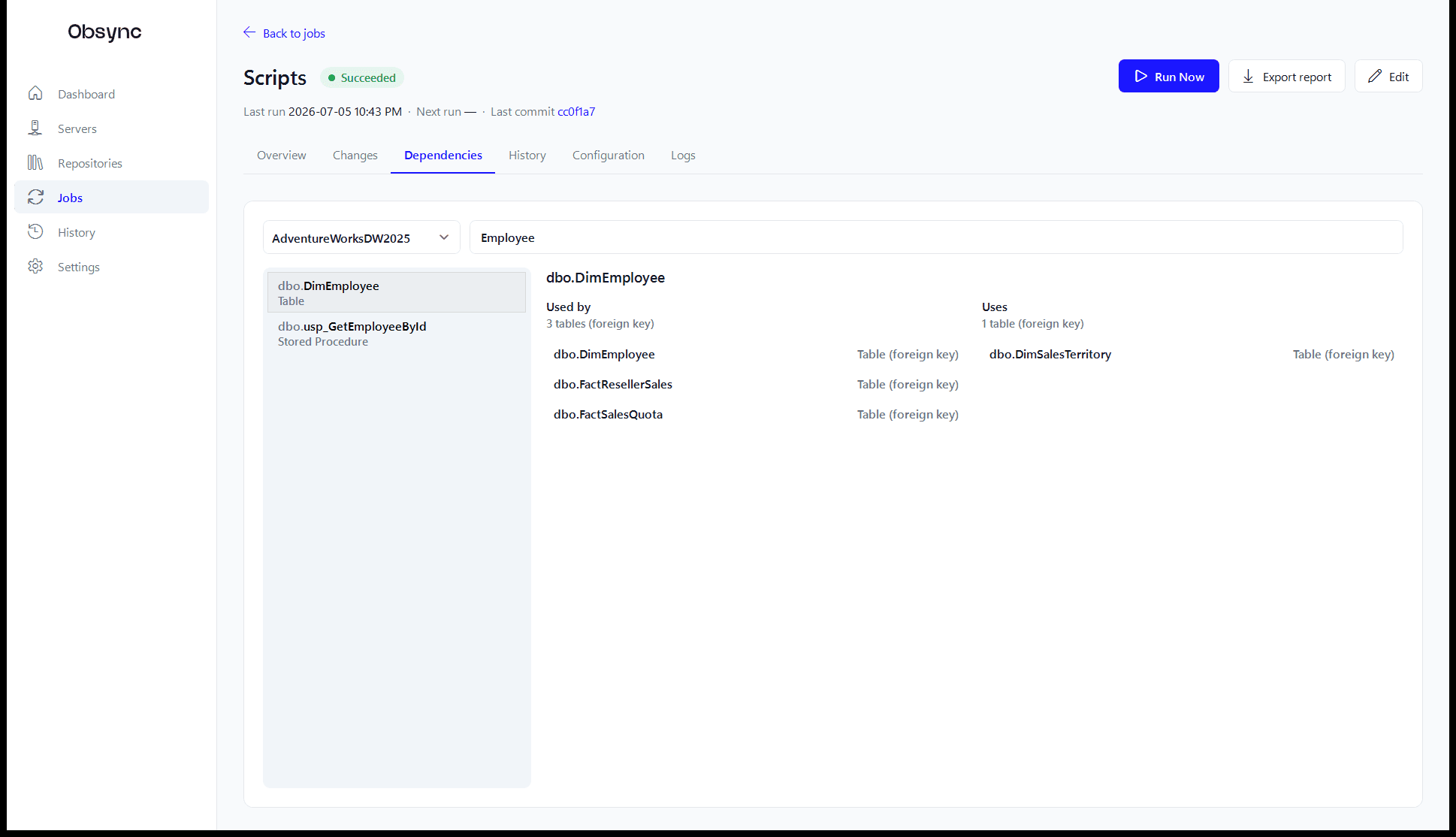
Know what breaks before you change it
Select any table or procedure and see what depends on it — referencing views and procedures, foreign-key tables, triggers — read live from the server's catalog. The question every DBA asks before an ALTER, answered in one click.
- ✓ Both directions: used-by and uses
- ✓ Foreign keys and triggers included
- ✓ Drill through the dependency graph
Job workspace — Dependencies
+Audit & alerting
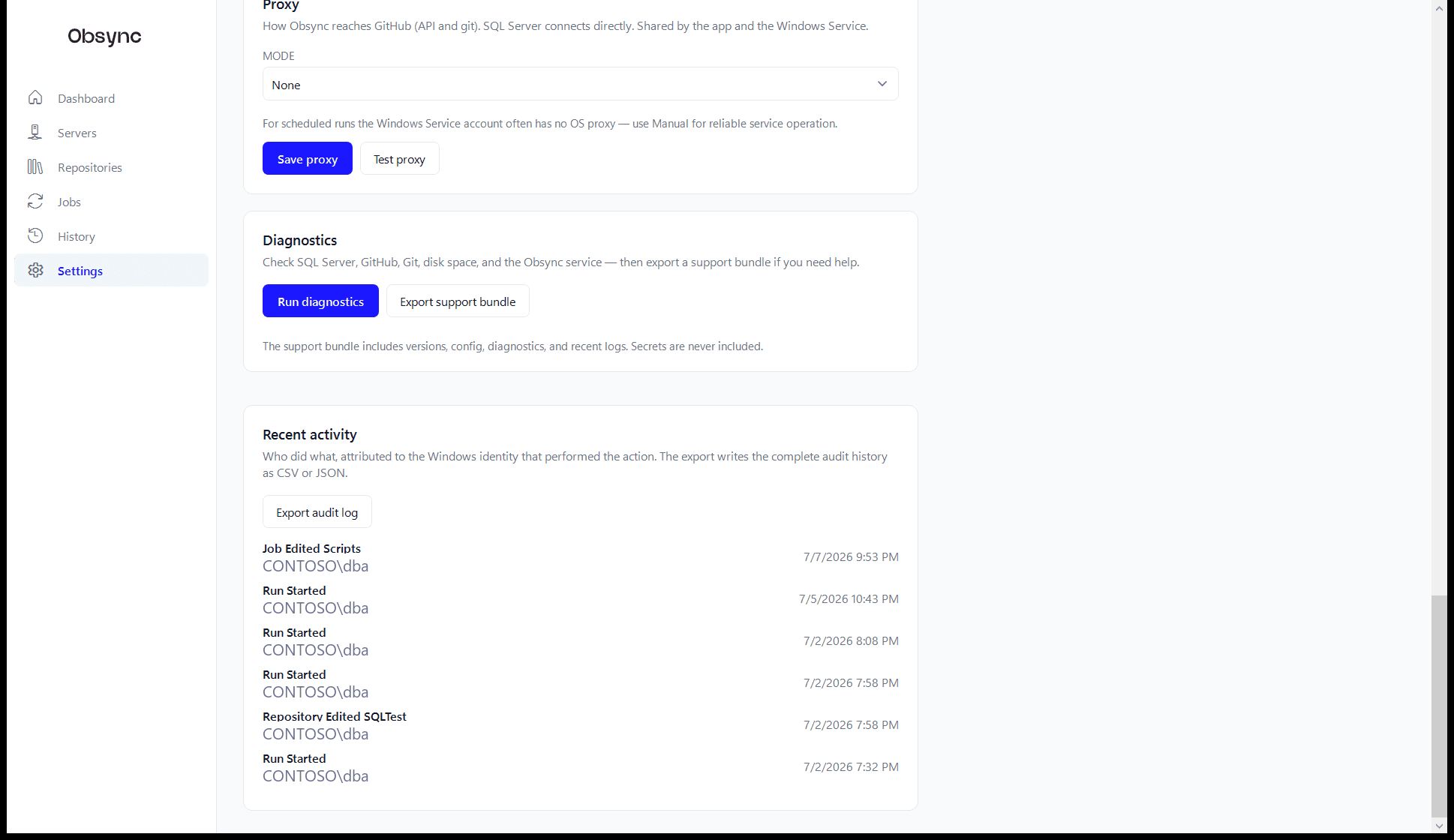
An audit trail that writes itself
Every job edit, credential change, and run outcome is recorded against the Windows identity that did it — exportable as CSV or JSON when the auditors come asking. Scheduled runs alert you by email or webhook when something drifts or fails.
- ✓ Who did what, attributed to AD identity
- ✓ Run reports as HTML, CSV, or JSON
- ✓ Versioned security review committed to the repo
Settings — Recent activity
Committed alongside your scripts
A repo that documents — and audits — itself
Every sync also writes generated markdown into the repository: a data dictionary with column types and descriptions, an object index, and a security review that flags public grants, sysadmin members, and orphaned users. Because they are versioned, posture drift shows up as a commit — with a date, an author, and a diff.
- + docs/README.md — object index & data dictionary
- + security/security-review.md — findings by severity
- + metadata/object-inventory.json — full manifest
# Security review — SalesDB
**3 findings:** 1 high, 2 medium.
## High
| Guest access | guest | The guest user can CONNECT…
## Medium
| Grant to public | dbo.Orders | GRANT SELECT…
| db_owner member | app_user | Review whether…
$ git log --oneline security/security-review.md
e4f21c9 security review: +1 high (guest CONNECT)
9d03b1a security review: db_owner member added
— regenerated every run; drift = a commit ✓
Built for VLDBs
Hundreds of thousands of objects. Still fast.
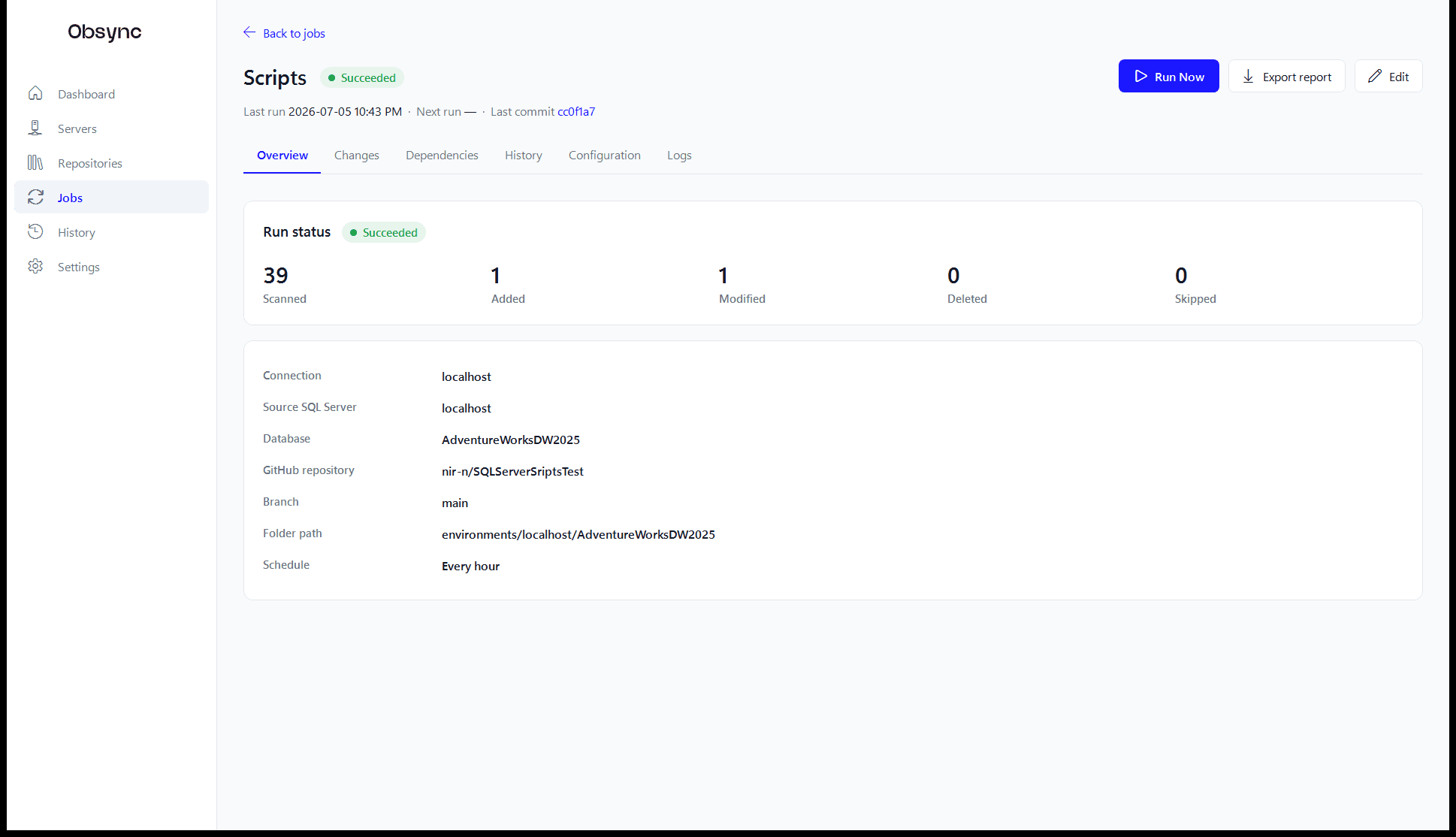
Obsync was designed against a single question: does this hold up at 500,000 objects? A bulk metadata fast-path scripts programmable objects in a handful of queries, parallel workers handle the rest, and incremental scripting uses modify_date watermarks so unchanged objects are never re-scripted. Your third run touches only what moved.
- ✓ Bulk catalog reads — no object-by-object round trips
- ✓ Bounded parallel scripting with backpressure
- ✓ Incremental runs skip unchanged objects entirely
- ✓ Batched state persistence — one transaction, not 500k
Job workspace — Overview
Why security teams approve it
Read-only by design — not by promise.
+Never writes to databases
Every query reads catalog metadata. There is no deploy engine, no migration runner, and no code path that executes DDL against your servers.
+Least-privilege built in
Obsync generates the exact three-permission GRANT script it needs: CONNECT, VIEW DEFINITION, VIEW DATABASE STATE. Nothing more.
+Secrets in Credential Manager
SQL passwords and GitHub tokens live in Windows Credential Manager under your account — never in SQLite, config files, or logs.
+Zero telemetry
The app contacts your GitHub repository, and (if enabled) the releases endpoint for notify-only update checks. That is the complete list.
+Enterprise network ready
Proxy support for locked-down networks, maintenance windows, SQL lock timeouts, and a Windows Service that writes to the Event Log.
+Auditable to the bone
Actions attributed to Windows identities, exportable audit logs, per-run reports, and a versioned security review in every repo.
Open source
Trust you can read, line by line.
Obsync is MIT-licensed and developed in the open. Every release is built by GitHub Actions from a tagged commit after the full test suite passes — never on a developer machine. Audit the code, file issues, or fork it.
license MIT
language C# / .NET 10 / WPF
tests 436 automated, every push
releases CI-built, checksummed MSI
telemetry none
Your schema has a history.
Start keeping it.
One self-contained MSI — no .NET runtime, no git install, no prerequisites on the target machine. Free and open source.
Windows x64 MSI · SHA-256 checksums on the releases page
Silent install & fleet deployment? Installation details →